Account Creation
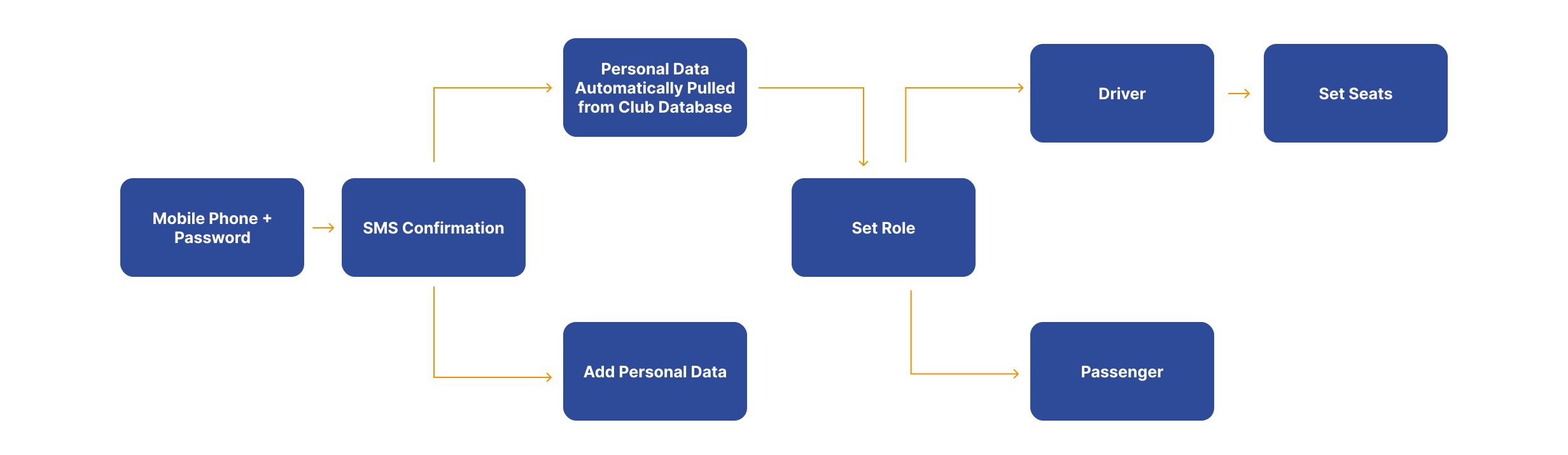
After the user has completed the onboarding process, they will start the account creation process, in which they will be asked to enter a phone number and password, confirm their account by entering the code sent to their phone, and fill in their details.
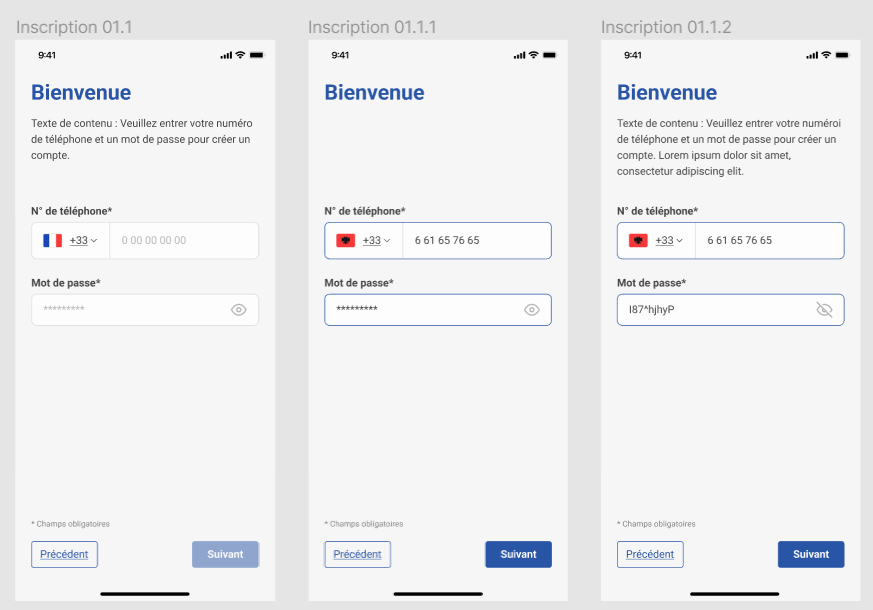
The first step in the account creation process is to enter a phone number and password:
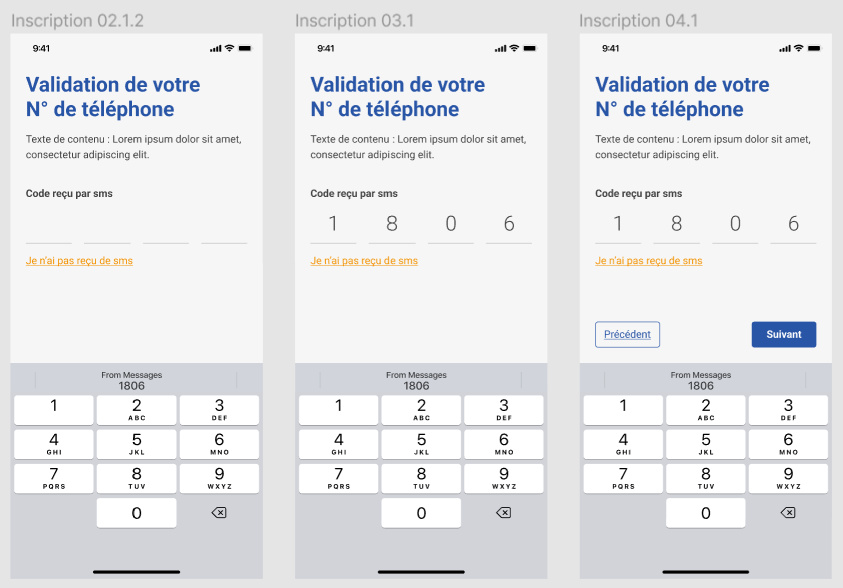
Then, the user will be asked to confirm their account by entering the code sent to their phone.
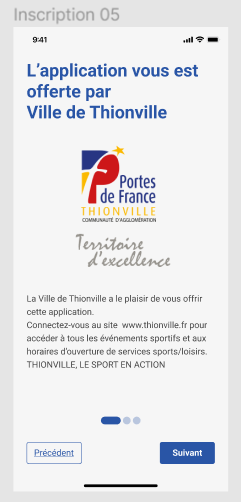
If the club has pre-registered members, the app will automatically link the user to their respective club and the info should be automatically filled and the user will receive an advertisement from the club sponsor as shown in the image below.
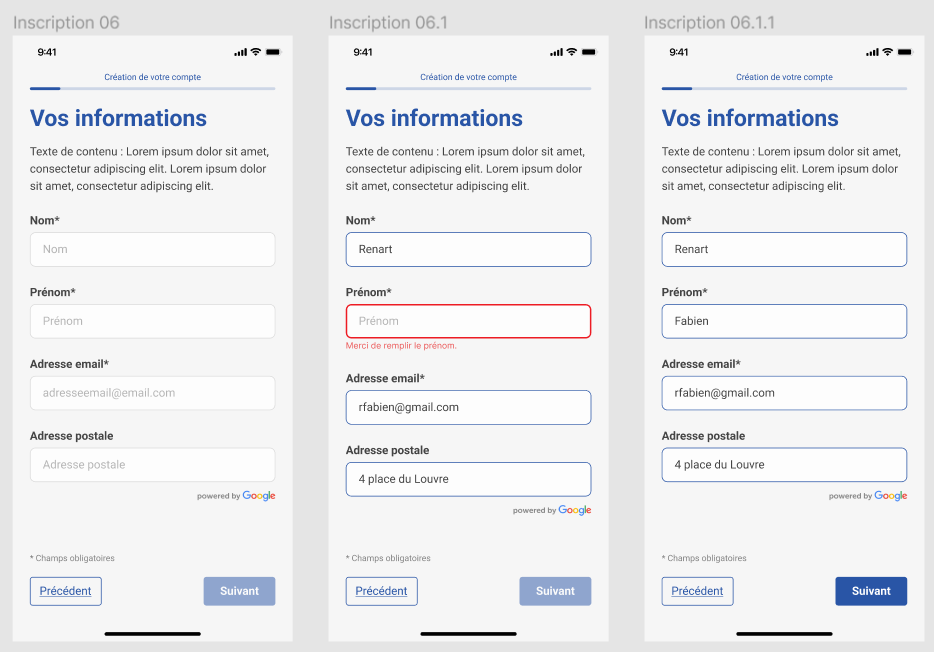
Otherwise the user will be asked to fill in their details as shown in the image below.
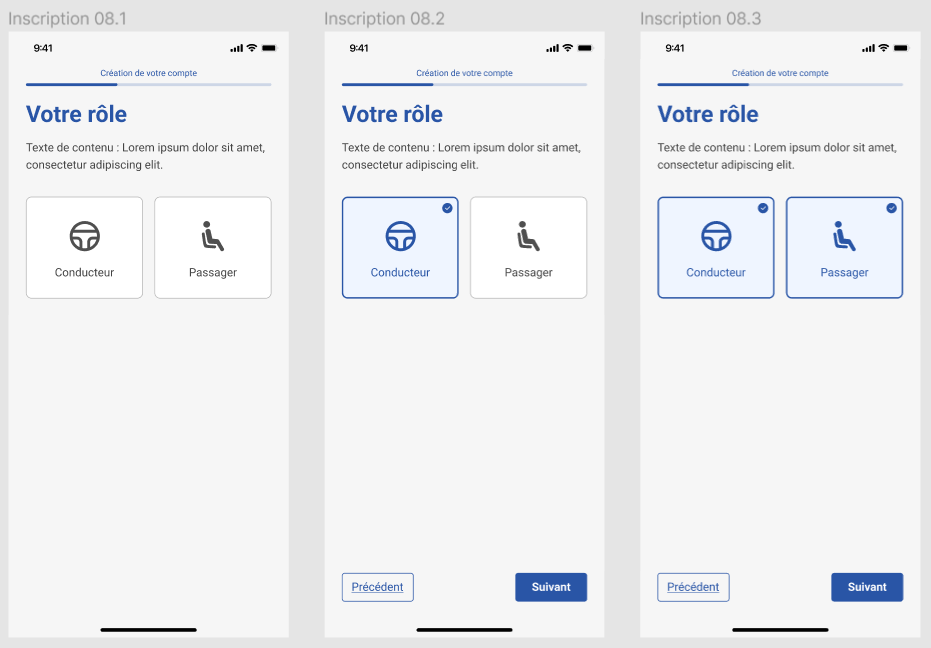
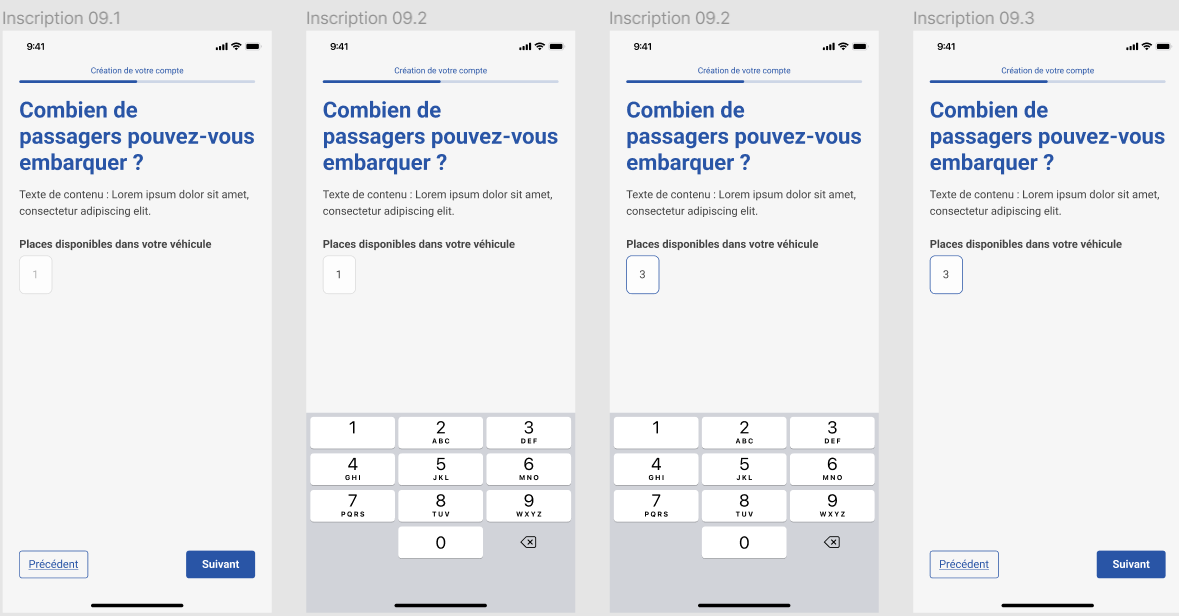
Finally, the user will be asked to select their role (driver or passenger) and provide the number of seats available in their vehicle.